Bank cards
Applying for and using a card
We offer different types of debit and credit cards. Find yourself a suitable solution from amongst our selection of private client bank cards or business client bank cards. If you wish, you can also order these cards in a virtual form.
With an LHV bank card, in addition to making payments, you can conveniently invest, become a regular donor, support Estonian football, use Youth bank discounts or insure your travels and card purchases. Use your new bank card when paying with your phone or smartwatch by adding the card details to Apple Pay or Google Pay. Read more
LHV bank cards can be applied for by:
- all customers of LHV;
- for a child 6–17 (incl.) years of age by a parent or guardian with the corresponding right of representation, who is a customer of LHV and
- users who have completed an application to register as a client.
The card application can be submitted:
- using LHV’s mobile app or internet bank;
- in customer offices;
You can elect to:
- have your card mailed to your home;
- to the LHV customer office (the order fee is 10 euros).
- in virtual form
- visit an LHV branch. The bank card is issued to the account owner. If the person in whose name the card is ordered is not the account owner, the card should be received from our office in an unactivated form.
The bank card ordered by regular mail will arrive at the address in Estonia within 10 working days (depends on the Omniva) and we will send it to you free of charge.
Sending a card abroad by regular mail takes longer and depends on the location of the specific destination country. You can verify the approximate arrival time of the card on Omniva’s homepage. Sending the card abroad by standard mail costs 15 euros.
If you ordered your bank card with a PIN code via regular mail, the envelopes will arrive on different days.
If you would like to receive the card via courier, registered mail, or express service, then kindly contact our customer support. The service fee will be charged for shipping according to the price list.
Costs associated with the bank card can be found in our Price List.
You can change your bank cards’ daily and monthly transaction limits (ie cash withdrawals, card and instant payments and online purchases) under the card view in the mobile app or the internet bank.
To be protected against possible card frauds, we recommend that you keep your card payment limits as low as possible. If you wish, you can switch card operations on or off in the mobile app and in the internet bank.
A replacement card is a bank card that replaces your valid or recently closed bank card (e.g., if you have lost it). If you activate the replacement card before closing the old card, this will allow you to automatically continue using Apple Pay, Google Pay or some other digital wallet with the new card and there is no need to add the card to these platforms again. The same limits and expiration date will also continue to apply, but the card number and PIN code are new.
You can replace the card both in the mobile app and in the internet bank. To do this, select the "Replace the card” button in the card view.
Digital wallet is a convenient digital payment service that allows you to use various payment solutions (e.g., Apple Pay, Google Pay, Garmin Pay) via your phone, smart watch, jewellery, etc. You just need to wave your phone or a smartwatch over the payment terminal to make the payment.
ABU (Automatic Billing Updater) is a service provided by Mastercard that allows you to automatically update your bank card credentials with web-based service providers.
This means that when your bank card expires or is replaced, Mastercard will forward the credentials of your new card to the service providers (Spotify, Netflix) with whom you have previously shared your card credentials.
This is convenient, since you don’t have to re-enter your card credentials and can continue to make payments.
Under what conditions is ABU implemented?
The service works when you start using a new bank card after replacing your previous card or when your card is automatically renewed due to its expiration date. For an automatic update of your card credentials, the service provider also needs to use this Mastercard service.
The card’s validity always ends on the last day of the specified month. So if the expiry date is 03/27, you can use your bank card until midnight on March 31, 2027. Starting from April 1, 2027, the card will no longer be valid.
Card expiry and renewal
The validity of the card always ends at midnight on the last day of the month indicated on the card. For example, if the card expiry date is 03/28, you can use the card until March 31, 2028 at 23:59.
You can change card renewal details and the delivery address in the internet bank. In the overview, you will see a notification about the expiring card, where you can select “Change renewal options”.
The same option is also available in the menu Everyday Banking → Bank cards, where you need to select “Card details and limits” under the expiring card and then “Change renewal options”.
During renewal, you can also choose a different card (e.g. instead of a Private Debit Card, a Football Card), select your preferred card design, and change the delivery address.
You can make these changes until the 14th day of the month preceding the card’s expiry. For example, if the card expires on 04/28 (April 30, 2028), you can change the details until March 14, 2028.
If you did not manage to change the delivery address for the renewed card, please contact our customer support.
The renewed card will arrive before the card expires, no later than the 15th day of the expiry month. If you have not received your new card by then, please contact our customer support.
The card PIN will remain the same, and you can check it in the mobile app or the internet bank.
If you activate the renewed card before the old card is closed, this will allow you to automatically continue using Apple Pay, Google Pay or some other digital wallet with the new card, and you do not need to add it again. Usage limits will also remain the same. The card number and expiry date will change.
Your card details will also be automatically updated with service providers (e.g. Spotify, Netflix) where you have previously saved your card details, provided the service provider supports the ABU (Automatic Billing Updater) solution.
The card is not renewed automatically if it has not been used in the past year, meaning no transactions have been made. If you still wish to renew the card, you can do so in the internet bank in the card renewal view.
Additional cards are also not renewed automatically. If needed, you can order a new additional card in the mobile app or in the internet bank under the activated card view.
To use the card, it must first be activated. Read more about how to activate your card in the internet bank or mobile app
Contactless payment
A contactless payment is a bank card payment where the transaction is effected by simply waving the card above the POS terminal. In Estonia, contactless payments can be made for purchases up to 50 euros. Contactless payments are made using contactless technology (near field communication, NFC), which has already found widespread use around the world.
You can start using the contactless payment option after you have activated your card and have effected one payment transaction at the POS terminal, which you have verified with your PIN code.
You can start using the contactless payment option after you have activated your card and have effected one payment transaction at the POS terminal, which you have verified with your PIN code. You can always change the contactless payment limits as well as disable and re-enable the service on your mobile app and internet bank.
Card payment terminals supporting contactless payments can be identified by the respective  marking.
With a bank card, you can make contactless payments if it is permitted and if the card’s daily and monthly limit is sufficient. In addition, there is a maximum limit per transaction set on card payment terminals for contactless transactions. In every country where contactless payments are allowed, there is a domestic limit set for transactions, which varies from country to country. In Estonia, this limit is 50 euros. You can find the limits for contactless payments in foreign countries here.
If the purchase amount exceeds the transaction limit, then you need to enter the PIN code on the payment terminal. Depending on the payment terminal, it may also be necessary to insert the card into the terminal. The card payment terminal asks for PIN code even when making consecutive contactless payments where the total amount exceeds 150 euros. After entering the PIN code, you can make contactless payments again until the next 150 euro total amount is reached.
Each contactless payment transaction is protected by a unique cryptogram. This serves to ensure that the transaction is only effected if originated by the merchant and the card is in the immediate vicinity of the POS terminal (up to 2 cm).
Occasionally, the terminal may request PIN-verification for a contactless payment. You can change your contactless payment limits on the mobile app and internet bank, or disable contactless payments entirely, if you so desire. Should you choose to disable the service, you must perform one more transaction, verified by your PIN code.
If your bank card is lost or stolen, block it immediately in the internet bank or mobile app. If you happen to find your card yourself, and are convinced that no one else has had access to it in the meantime, you can reactivate the card via the internet bank or mobile app. If you are unable to find the card or cannot block it yourself, then please contact our customer support by phone at 6 800 400.
You can also disable the contactless payment capability in the Mobile and internet bank or set small limits for both the daily and monthly payments.
Yes, you can view and change your card rights under the mobile app and internet bank.
- In the mobile app: tap Cards at the bottom of the screen. Select the card whose contactless payments you want to change and, in the card view, tap Limits → Card transaction limits → Contactless payments.
- In internet bank: choose “Everyday banking” ➞ “Bank cards” ➞ “Card details”.
For security reasons, we advise that you keep the limits as low as possible. Should you choose to disable the service, you must perform one more transaction, verified by your PIN code.
All of LHV’s new cards include contactless payment capability. Find yourself a suitable solution from amongst our selection of private client bank cards or business client bank cards.
Apple Pay and Google Pay
Apple Pay and Google Pay allow you to make quick and easy contactless payments, such as with your phone or smartwatch. All you have to do is put your phone or smartwatch close to the terminal and the payment is completed. You can pay wherever contactless payments are accepted, including shops, restaurants, taxis and many other places. In addition, Apple Pay and Google Pay can be used to make online and in-app payments.
Apple Pay or Google Pay contactless payments are subject to the regular contactless payment limits set for the bank card added to your phone or other device (smartwatch, iPad). If you use Apple Pay or Google Pay to make online or in-app payments, your bank card limits for internet purchases apply. It is possible to change the limits in the mobile app and in the internet bank.
If you want to use:
-
Apple Pay, then add your card to your Wallet. You can do this via your LHV mobile app by clicking on the “Add to Apple Wallet” button in the card view, or via the Wallet application on your phone. Remember to add the card to any device you want to use Apple Pay with. Read more about setting up Apple Pay.
To use Apple Pay, your Apple device must have Face ID or Touch ID and the latest version of the software. In addition, an Apple ID account is required. Read more
-
Google Pay, then add your card to your digital wallet. You can do this in the LHV mobile app by clicking the “Add to GPay” button in the card view, or via the Google Pay app.
Google Pay works on Android devices that have Near Field Communication (NFC) enabled.
If you can’t use Google Pay:
- Check your phone to make sure Google Pay is set as the default payment application, and not some other contactless payment application (such as mTasku or a payment application from another bank). To do this, open the “NFC” (“Connections”) or “Applications and notifications” section in the phone settings;
- Check if your LHV bank card is connected with Google services. To do this, please go to Settings → Google → Account Services → Google Pay on your phone;
- Make sure your phone supports contactless payments. To do this, open the phone settings, type “NFC” in the search bar and, if necessary, switch on NFC manually. If there is no NFC option, you will not be able to make contactless payments with your phone;
- Check that your phone software meets the requirements. Your phone must be running Android version Lollipop (5.0) or later, and the software must be Play Protect certified.
For additional help, read more about Google Pay tips
If you activate a new card before closing the old card, you won’t have to add the card to Apple Pay or Google Pay again. If the old card was closed before the new card was activated, you will have to add the card data a second time.
Unfortunately, you don’t earn extra points when paying with the LHV Partner Bank Card. Microinvestment still works if you have activated the microinvestment service for card payments.
Apple Pay can be used by a young person of at least 13 years old and Google Pay by a young person of at least 16 years old. The age limits are set by Apple and Google.
You can return the goods in exactly the same way as for a purchase made with a regular plastic card. You can get more detailed information from the vendor.
Apple Pay requires you to confirm each purchase with a Face ID, Touch ID or your password. This helps prevent someone else from using Apple Pay on your iPhone, iPad, Apple Watch or Mac.
If you want to suspend or permanently end Apple Pay payment with your device, open your Apple ID account page or use the Find My iPhone app on your iPhone or iPad. This will suspend or remove your cards from Apple Pay even if your device is currently offline and not connected to a cellular or Wi-Fi network.
If you need help, please contact us at LHV customer support. Read more about what to do if your iPhone is lost or stolen.
If your phone is lost or stolen, use the Find My Device app. This allows you to look for and lock your phone. If you have locked your device, Google Pay cannot be used. Because Google Pay never stores your card information on your phone, others who have found or stolen your phone will not be able to access your card information. This applies even if the phone does not have a screen lock.
If you suspend or remove cards, your Apple Pay/Google Pay digital card number will also be suspended or removed. You can continue to use your physical card.
Apple Pay is more secure than a physical credit and debit card because every transaction you make on your iPhone, iPad, or Mac requires confirmation with a Face ID, Touch ID or password.
Your Apple Watch is protected by a password that only you know. You must enter this password each time you turn on the device or pay with Apple Pay.
Your card number or identity will not be shared with merchants. Your actual card numbers are not stored on your device or Apple’s servers.
If you pay at the store, neither Apple nor your device will send your card number to the merchant.
When you make a payment in an app or Safari’s web browser, only the information you’ve agreed to share to complete your transaction (such as your name, email address, billing address, and shipping address) will be sent to the merchant.
Apple Pay stores anonymous payment information, such as approximate purchase amounts. This information cannot be associated with you and will never contain information about the products you purchased.
Apps that use Apple Pay must have a privacy policy that you can view and that sets rules for how your information is used.
Read more about Apple Pay’s security and privacy features.
Paying by phone is secure because the number associated with the device and a unique transaction code are used for each transaction. Your card data is never stored on your device or on the service provider’s servers. Also, your card number will not be forwarded to merchants at the time of payment. Thanks to this, you can make contactless payments with your phone without any worries.
Yes, you can withdraw cash from contactless ATMs with Apple Pay or Google Pay. You will need a PIN, which you can find in the LHV mobile app or internet bank.
Unfortunately, you can’t. You can only deposit money at an ATM with a physical card.
Virtual card
All private and business bank cards are available as a virtual card.
Just indicate on the card application that you would like to receive the new card in virtual form. As no plastic card will be manufactured, you do your part to ensure a cleaner and more sustainable environment. Nor will you have to wait for the card to arrive, as the virtual card will be ready to be used immediately after ordering and activation.
You can perform various card operations with the virtual card:
- Contactless payments
Add the activated virtual card to your digital wallet (e.g. Apple Pay, Google Pay) and perform convenient contactless payments with your phone or watch. - Internet purchases
Use the card details (full card number, expiry date, CVC code) available in the mobile app or internet bank’s card detail view to shop online. You can also use a virtual card added to a digital wallet (e.g., Apple Pay or Google Pay) for payments online and in apps. - Cash withdrawals
Add the activated virtual card to a digital wallet (e.g. Apple Pay, Google Pay) and withdraw cash from a contactless-enabled ATM. You’ll need the virtual card’s PIN code, which you can find in the LHV mobile app or internet bank. - Check account balance
To check your account balance, find an ATM that supports contactless transactions.
- Order the card from the LHV mobile app or internet bank and specify on the application that you would like to receive the new card in virtual form.
- Activate the virtual card.
- Add the card to the digital wallet (e.g. Apple Pay, Google Pay) and perform convenient contactless payments with your phone or watch. The data necessary for online purchases (the full card number, expiration month/year and CVC) can be found in the card screen in the mobile app and internet bank.
Yes, the virtual card allows you to withdraw cash from ATMs that support contactless use. You will need a digital wallet (e.g. Apple Pay, Google Pay) and second, a virtual card PIN code, which you will find on the LHV mobile app or internet bank. The locations of the LHV ATMs that support contactless use can be found on our website and the mobile app.
Unfortunately, you can’t. You can only deposit money at an ATM with a physical card.
A virtual card can be used to pay on the web, in-app and everywhere contactless payments are accepted. When using contactless on a phone or watch, the virtual card must be added to a digital wallet (e.g. Apple Pay, Google Pay). When abroad, be aware that not all points of sale accept contactless payments.
See the price list for what service charges might apply to your virtual card.
The data necessary for online purchases (the full card number, expiration month/year and CVC) can be found in the card screen in the mobile app and internet bank. The card data is visible only to the person whose name is on the card and who also has access to view their card data.
The virtual card is valid for three years. If you would like to use the card only for a brief period, you can close it over the mobile app and online bank at any time.
Unfortunately, this is not possible. The virtual card is a separate card with a new card number and PIN code.
The number of virtual cards per user is limited. The card user can order only one virtual card of each type. For example: you can order one virtual LHV private customer debit card, one virtual LHV business customer debit card, one virtual LHV Football Card, etc. -
Unfortunately, it is not possible to change the PIN code on a virtual card. If necessary, you can view it in the LHV mobile app or internet bank.
The virtual ISIC card
Those studying full or part time in any study format (day school, online, cyclical study, etc.) at an Estonian university or institution of professional education on the basis of a higher education curriculum. Yes, you can be on academic leave at the time of application.
External students, interns and residents are not defined as university students by the University Act and thus cannot be issued a virtual ISIC.
Nor can foreign students who lack an Estonian personal identification code order a virtual ISIC through the LHV mobile app.
A virtual ISIC can be ordered through the LHV mobile app if you are studying in a higher education curriculum at one of the following Estonian universities:
- The Institute of TheologyEstonian Evangelical Lutheran Church
- The Estonian Free Church Theological Seminary
- Mainor Business School
- Estonian Academy of Arts
- Estonian Aviation Academy
- University of Life Sciences
- Baltic Methodist Theological Seminary
- Estonian Academy of Music and Theatre
- Estonian Business School
- Estonian Military Academy
- Pallas Art School
- The Estonian Academy of Security Sciences
- Tallinn University of Technology
- Tallinn University of Applied Sciences
- Tallinn Health Care College
- Tallinn University
- Tartu Health Care College
- University of Tartu
No. Only those studying in a higher education curriculum in Estonia can order a virtual ISIC and it is displayed on the app only to these individuals.
If you go to study outside Estonia, submit a virtual ISIC application through Eduid environment. If you do not see your institution of higher education in the list, you can send confirmation of your student status by email to klienditugi@eyl.ee.
Nor can virtual ISICs associated with universities outside Estonia be displayed in the LHV mobile app.
The virtual ISIC photo requirements are set out by the Federation of Estonian Student Unions, which also verifies and approves the photos.
If you submit an application for a virtual ISIC through the LHV mobile app, remember the following:
- The photo must be less than three years old.
- It must be a frontal view of the face and the face must cover 70-80% of the photo height.
- The face must be distinct from the background, i.e. not in shadow or concealed behind sunglasses, headwear, a hand or other object.
Just like the physical ISIC, the virtual card can be used to prove student status and thousands of discounts in Estonia and abroad.
A virtual ISIC cannot be used as a public transport fare card. Nor can it be used as a key card or bank card.
LHV’s virtual ISIC is more like a student ID: you can prove your student status and tap into thousands of international discounts.
You can do so over the eduID website as follows:
- Enter Eduid using an ID card or bank link.
- Choose “Kaardid”.
- Tap the number of your valid card.
- Select “Deaktiveeri”.
A temporarily or permanently closed virtual ISIC will continue to be displayed in the LHV mobile app for 30 days.
A virtual ISIC is not auto-renewed. You can conveniently order a new card from the LHV mobile app. Just open the Cards tab, tap the plus sign at the top and choose “ISIC-virtuaalkaart”.
Student status, which confers eligibility to order the card, is checked in the Estonian Education Information System (EHIS). If your status could not be verified, LHV mobile app returns an error message.
To solve the problem, contact your school and ask if you are listed in EHIS as a student. If you are, send a statement confirming this to the Federation of Estonian Student Unions by email at eyl@eyl.ee.
Cash-related
With LHV debit card, you can withdraw cash from the LHV ATMs account free of charge. For larger amounts (from 2,000 €) please see the pricelist.
In case of withdrawals from the ATMs of other banks in Estonia, the United Kingdom and European Economic Area countries, a withdrawal fee of 1 € applies (+ 0.3% of any amount in excess of 2,000 € per month). From other ATMs in another foreign country 2 € + 2.5% of the amount.
The fee for withdrawing cash with a credit card is always 2 euros + 2.5% of the amount. For information about the cash withdrawal fee for the Premium and Platinum Credit Card, please refer to the price list.
The service fee is per customer, meaning it applies regardless of the number of accounts and cards (including additional cards) you have.
Example: If you have two debit cards and withdraw €2000 with the first card and €1000 with the second card in a calendar month, the total is €3000. We apply a 0.3% service fee on the amount exceeding €2000, which is €1000, resulting in a fee of €3 according to the example.
The location of LHV’s ATMs can be found on our web page.
With the LHV debit card, you can also withdraw cash from a shop register while making a purchase. Take a closer look at the terms and conditions for withdrawing cash from a shop register.
Yes, LHV private clients can use their debit cards to withdraw cash at a shop’s checkout while making a purchase. This service is provided, for example, by Coop Group shops and Olerex full-service stations. If you would like to withdraw cash, you must inform the cashier prior to the purchase transaction. A prerequisite for using this service is a purchase in the amount of at least 1 €, to which the merchant will add the required cash amount. With each purchase, you may withdraw cash in the amount of 5 € to 100 € (in full amounts and in 5 € increments).
The fee for withdrawing cash at a store is established by the merchant, LHV does not charge a separate fee for this service. For example, in a Coop store, the service charge is 0,69 €, In Gross shops 0.36 €, and at Olerex 0.32 €. Cash can also be withdrawn at shops abroad that offer the (cash-back) service. One should most definitely pay attention to the applicable local terms and conditions, and service fees.
You can deposit cash into your current account for free at LHV ATMs up to €5000 per month. A service fee of 0.3% of the amount exceeding this limit applies. The service fee is per customer, meaning it applies regardless of the number of accounts and cards (including additional cards) you have.
Example: If you have two bank cards and deposit €4000 with the first card and €2000 with the second card in a calendar month, the total is €6000. We apply a 0.3% service fee on the amount exceeding €5000, which is €1000, resulting in a fee of €3 according to the example.
Cash deposits can only be made with a physical debit card. It is not possible to make deposits with a virtual card.
The location of LHV’s ATMs can be found on our web page.
No cash operations are performed at the offices of LHV.
Order a virtual card. To do this, log in to the LHV app or internet bank as a private or business customer, order a new bank card and indicate on the card application that you would like to have the card in virtual form. There is no monthly fee on the virtual card and you can start using it immediately. You can use the card to make contactless payments with your phone or smart watch, make purchases online and withdraw cash from ATMs that allow contactless. Read more about how to do this →
Another option would be to visit the LHV branch, where we will issue you a temporary bank card that costs 10 euros, and is valid for 15 days. You can only use the temporary card to withdraw cash from an LHV ATM and check your account balance.
The PIN code can be changed for all LHV plastic cards via LHV ATMs. Unfortunately, it is not possible to change the PIN code for virtual cards. If necessary, kindly view the PIN code in the LHV mobile app or internet bank.
Secure card payments online
Yes, all LHV bankcards have been connected to the secure card payments service online (3D Secure). This means that online purchases with LHV bankcards include additional cover against potential card fraud. Following the entry of card data one must log into the LHV internet bank as additional identification.
When making purchases with an LHV bankcard in an online store that has joined the secure card payments service, you may choose between two methods of identification:
-
Identification via internet bank
The page for logging into the internet bank opens. To log in, use the ID-card, Smart-ID or mobile-ID solution. After identification, you will be redirected to the merchant.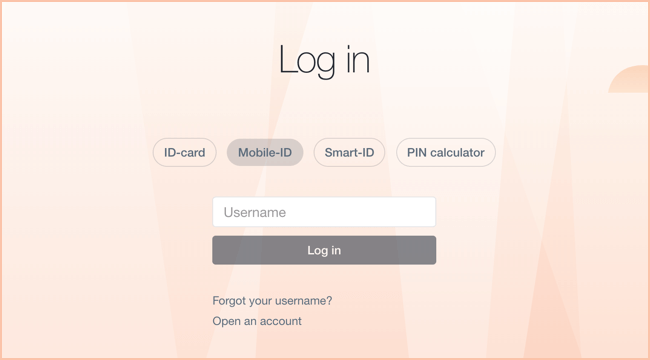
-
Authentication via Smart-ID
If you have an Estonian personal identification code and are a Smart-ID user, you can also authenticate using Smart-ID. To do so, select the “Smart-ID” button in the 3DS authentication window. You will then receive a push notification on your phone or see a verification code in the Smart-ID app. Confirm the code in the Smart-ID app using your PIN1, and then return to the merchant’s page.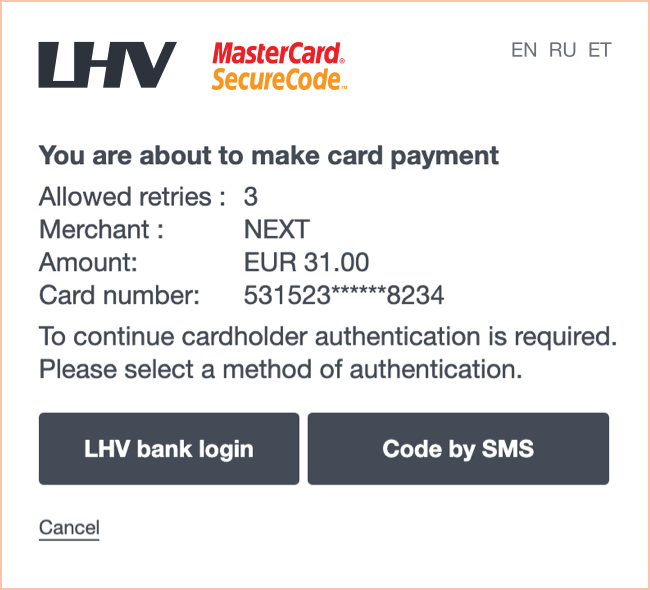
Applying for a credit card and repayment
You will receive a reply to your credit card application within five working days.
Interest must be paid for the used credit limit in accordance with the interest rate set forth in the agreement (amount of interest as a percentage per year). Interest shall be calculated on the basis of the actual number of days in a month and a 360-day year. Interest starts running when the interest-free period ends.
The payment date is the 10th day of each month. On that day, all the interest that has accumulated for the credit limit used until the end of the preceding month will be debited from your LHV current account.
See also: Examples of annual percentage rate of charge for cards
The automatic repayment of the credit limit is the amount that you have chosen for the repayment of credit to the bank per month. For an LHV bank card that has a credit limit (e.g. Partner Credit Card, private credit card, Gold Credit Card, Business Customer Credit Card) you can choose an automatic monthly payment in the amount of 0-100% of the credit limit. You can change the size of the repayment (0-100%) in the Internet bank whenever you want.
If you choose a 100% repayment, you can use the card interest-free as a daily means of payment.
If you choose a 0% repayment, you can repay the used limit in amounts and on times of your own choosing.
In case there is not enough money for the automatic repayment on your current account on the 10th day of the month, the existing amount on the account will be deducted. If you wish, you can transfer the missing amount to your credit account on your own. The missing part of the repayment will start to collect interest on the credit account.
The annual percentage rate of the private credit card is 19.15% per annum on the following example conditions: credit limit 1,000 €, interest rate 18% (fixed), monthly fee of the card 1 €, interest-free period 22 days, repayment sum of 1,093.42 €, assuming that the limit is used immediately, in its full amount and returned in the course of one year in equal monthly instalments.
The annual percentage rate of Partner Credit Card is 18.70% per annum on the following example conditions: credit limit 1,000 €, interest rate 18% (fixed), monthly fee of the card 1 €, interest-free period 26 days, repayment sum of 1,093.42 €, assuming that the limit is used immediately, in its full amount and returned in the course of one year in equal monthly instalments.
The annual percentage rate of charge of the Gold Credit Card is 15.34% on the following sample conditions: limit 1,000 €, annual interest 18% (fixed), interest-free period of 36 days, repayment sum is 1,081.42 €, assuming that the limit is used immediately, in its full amount and returned in the course of one year in equal monthly instalments.
The annual percentage rate of the Platinum Credit Card is 11.85% per year on the following sample conditions: limit 5,000 €, annual interest rate 14% (fixed), interest-free period 35 days, repayment sum of 5,316.62 €, assuming that the limit is used immediately, in its full amount and returned in the course of one year in equal monthly instalments.
The annual percentage rate of charge of the Premium Credit Card is 11.59 % on the following sample conditions: limit 1,500 €, annual interest 14% (fixed), interest-free period of 40 days, repayment sum is 1,594.26 €, assuming that the limit is used immediately, in its full amount and returned in the course of one year in equal monthly instalments.
PIN code
You can view the card PIN code in the LHV mobile app and internet bank. Read more
Only the person whose name is on the card can see the PIN code. This applies if the cardholder has access to view their card data in the app and the internet bank.
For example, if several bank cards have been issued to the company’s employees, only the card user (the person whose name is on the card) can see the card’s PIN code, and only if the company’s representative has given the cardholder access to view the card’s data.
If you have entered the PIN code incorrectly at a card terminal or ATM, and it has become locked, you can unlock the PIN code through the internet bank or mobile app. After unlocking the PIN code:
- Make sure you remember your card’s correct PIN code. If needed, you can view the card’s PIN code in both the LHV mobile app and internet bank. Read how
- Execute a transaction at an ATM by inserting your card into the bank’s ATM (for example, check your account balance, without contactless transaction). If you do this at an ATM other than LHV’s, please be aware of the transaction service fees.
You can change the PIN of your LHV bank card in LHV ATMs. The location of LHV’s ATMs can be found on our web page.
The PIN code of the previous card will remain valid for the renewed bank card.
We have no reason to ask, by phone or e-mail, for your bank card number or CVC code, usernames, passwords or to enter your PIN codes. If you do receive such a request, the chances are it is fraudulent.
Security and disputing card transactions
If you want to use your bank card safely, we recommend doing the following.
- When paying with the card at a shop or service institution, be sure to check that the amount displayed on the payment terminal is correct before you confirm the payment. When entering your PIN, take care that it is not visible to other people; if necessary, cover the keypad with your free hand.
- When you are using the card for Internet purchases, do not enter your card number or its security code on any web page that does not seem trustworthy.
- Before making the purchase, check the background of the seller.
- Avoid using a public computer for online purchases.
- Do not share your bank card numbers with anyone over fax, mail or e-mail.
- You can block or allow online purchases with your card at any time using the LHV internet bank or mobile app. We advise you to give permission for a payment immediately before a purchase, and block payments again as soon as the transaction has been completed.
- To protect yourself from the damages caused by possible card fraud we advise you to keep daily and monthly payment limits as low as possible.
- Your bank card is your electronic money – keep it as carefully as you would keep your cash. Only you are permitted to use the card. Never give it to anyone else.
- Learn your PIN by heart. Do not carry a copy of your PIN or keep it together with your bank card.
- If your bank card is lost or stolen, block it immediately in the internet bank or mobile app. If you happen to find your card yourself, and are convinced that no one else has had access to it in the meantime, you can reactivate the card via the internet bank or mobile app. If you are unable to find the card or cannot block it yourself, then please contact our customer support by phone at 6 800 400.
If you lose your card, block it temporarily or close it permanently if you think that it is no longer possible to retrieve your card. In order to block or close a bank card, enter the LHV mobile app or internet bank and make a change in the detailed view of that card.
If you find your bank card and are convinced that no one else has had access to it in the meantime, you can reactivate your blocked card in the mobile app or internet bank.
- If you urgently need a new card, order a virtual card. You can activate this immediately after ordering and add Apple Pay or Google Pay to it, for example. You can make contactless payments with the virtual card using your phone or smart watch, make purchases online and withdraw cash.
- If necessary, we will issue you a temporary card at the LHV customer office, but you can only use it to withdraw cash and check your account balance from the LHV ATM. Please note that the fee for a temporary bank card is 10 euros. Therefore, if you lose your card, a free virtual card with many options is a cheaper and smarter option.
- If you have any questions, be sure to contact our customer support.
If transactions you don’t recognize were made with your bank card, immediately close the card and file a request to dispute the card transaction. The bank card can be closed on the mobile app or in the internet bank in the Cards tab. If you need further assistance, please contact our customer support. Our partner Nets Estonia is here to help you during your off-hours.
Card transactions can be disputed through the account statement. In the internet bank or mobile app, on the account statement, identify the card transaction you wish to dispute and open the detailed view of the card transaction. To submit an application, click the “Dispute” button in the internet bank and the law enforcement officer icon in the mobile app. If you are unable to submit the dispute request using the mobile app or internet bank, fill in the card transaction dispute request form and email it to vaidlustused@lhv.ee.
If you see transactions you don’t recognize on your bank card history, you are entitled to dispute the transaction through the bank. The time limit for doing so is 13 months for private clients and 1 month for business clients, starting from the transaction date.
If you suspect that it may be card fraud, be sure to close the card first and only then dispute the transaction. Closing the card is necessary to prevent further possible fraudulent transactions, and you can only start the transaction dispute process after closing the card.
Be aware! Apple Pay and Google Pay transactions cannot be disputed on the grounds of fraud as these types of transactions were authenticated in a secure manner. If you have fallen victim to fraud, notify the bank and police as soon as possible.
If it turns out that the transaction you didn’t recognize was in fact legitimate, a service fee applies for a groundless dispute – see the price list.
When you use a bank card, there may be situations where:
- you paid twice for the same purchase or the transaction amount was not correct,
- you never received the goods or service you ordered,
- the goods or services you received did not match the description,
- you have not received a refund for returned goods or cancelled service.
If such a problem comes up, first contact the merchant or service provider directly.
If you aren’t able to reach agreement with the merchant, file a card transaction dispute request as soon as possible. To do so, enter the LHV mobile app or internet bank and on the account statement, identify the card transaction you wish to dispute. Bring up the details for the card transaction and in order to file a dispute request select “Dispute”. If you are unable to submit the dispute request using the mobile app or internet bank, fill in the card transaction dispute request form and email it to vaidlustused@lhv.ee.
File the dispute request within 3 months of the date of the problematic transaction or receipt of goods/service, if it turns out the service did not match the description. It usually takes two months to process card transaction dispute requests. In exceptional cases, it may take longer to dispute the transaction, but in that case, we will keep you posted.
Fraudulent transactions that you yourself confirmed using strong authentication cannot be disputed. For example, if your card is used to make purchases on a website and you confirmed these transactions by text message or by internet bank login.
Fill in the card transaction dispute request form in the LHV mobile app or internet bank if:
- you did not receive the requested amount from the ATM;
- you made a cash deposit to your account but your account was not credited or was only partially credited.
In your account statement, identify the card transaction you wish to dispute. Bring up the details for the card transaction and select “Dispute”.
If you are unable to submit the dispute request using the mobile app or internet bank, fill in the card transaction dispute request form and email it to vaidlustused@lhv.ee.
It generally takes a few business days to dispute a cash transaction made in Estonia, and in more complicated cases, up to 10 business days. Disputing a cash transaction made abroad can take up to 2 months.
When you use Apple Pay or Google Pay, there may be situations where:
- you paid twice for the same purchase or the transaction amount was not correct,
- you never received the goods or service you ordered,
- the goods or services you received did not match the description,
- you have not received a refund for returned goods or cancelled service.
If such a problem comes up, first contact the merchant or service provider directly.
If you aren’t able to reach agreement with the merchant, file a card transaction dispute request as soon as possible. To do so, enter the LHV mobile app or internet bank and on the account statement, identify the card transaction you wish to dispute. Bring up the details for the card transaction and select “Dispute”.
Be aware! Apple Pay and Google Pay transactions cannot be disputed on the grounds of fraud as these types of transactions were authenticated in a secure manner. If you have fallen victim to fraud, notify the bank and police as soon as possible.
Smartwatch payments
You can add an LHV bank card to your Apple Watch, Garmin or Wear OS smartphone, for example. Make sure your smart watch supports contactless payments and your bank card has instant payments option enabled.
Paying with a smartwatch is simple, contactless and quick. You can pay for your purchases at any point of sale which accepts contactless payments. Standard contactless payment limits apply to these payments, equivalent to those of your bank card.
If you wish to make a payment with:
- Apple Watch, double press on the side button and position your watch above the terminal.
- Garmin watch, press and hold the central operation button of the smartwatch or the menu, and tap the Wallet icon. Then choose the card for making the purchase and position your watch above the terminal.
When using Garmin Pay, you can pay for your purchases with the LHV cards in your daily use.
To configure the new means of payment:
- Download the Garmin Connect app in your phone and link it to your smartwatch.
- Accept Garmin Pay’s Terms of Use and choose a four-number password.
- Add your LHV bank card to Wallet.
If you wish to suspend or permanently terminate the use of the smartwatch payment option, open the app linked to your smartwatch in your phone and remove the LHV bank card from Wallet. Should you need help, please do not hesitate to contact our customer support at the e-mail address info@lhv.ee or the telephone number 6 800 400.
Smartwatch payment is safe, as it uses a number linked with the smartwatch and a unique transaction code for each purchase transaction. Your card data will never be stored in your device or the service provider’s servers. Similarly, your card number will not be forwarded to the merchant during your purchase. Therefore, feel safe with your smartwatch payment.
Card payments
Kindly get in touch with the merchant, who will be able to send us the cancellation of the card payment. Unfortunately, without it, we are unable to cancel card payment transactions and reservations. We can only dispute a card transaction if the merchant has not complied with the terms of service, and a solution to the situation in cooperation with the merchant cannot be found. Please also note that pending reservations on the card cannot be recalled or suspended.
No, you cannot. Even if you have a sufficient amount of the currency of that country on your account, a card payment amount is always debited from your account in euros.
Sometimes some card payment terminals offer the option of making the payment in the local currency or in euros. When you choose euros as the payment currency, the terminal will calculate the amount into euros at an exchange rate which is probably more beneficial to the merchant. It is therefore often more beneficial for you to pay in the local currency instead. If you pay or withdraw cash in the local currency, the currency is exchanged on the basis of the Mastercard exchange rate and a conversion fee is charged on the transaction according to the price list.
Internet purchases can be made with all LHV bank cards.
The security code (CVC) required for online purchases is a 3-digit number on the back of your card. In the case of a virtual card, you can find the necessary data for online purchases (full card number, validity period, CVC code) once you have logged in to your LHV mobile app or internet bank and select the card view.
In relation to the imposed sanctions and restrictions, it is not possible to use LHV bank cards with Russian or Belarusian merchants, pay in their online stores or use the ATMs of Russian and Belarusian banks. If you plan to travel to these countries, we recommend taking along sufficient supply of cash.
Click to Pay
Click to Pay makes online shopping easier and faster. It works on all devices – phones, laptops, tablets – and all browsers.
The first time you use it, you enter the card data and the next time you pay with just a few clicks and there is no more need to enter card data.
The cards you have added to Click to Pay appear automatically, streamlining the online shopping experience.
Your cards will be saved securely in the Mastercard system. Need to view and manage your cards? Go to the Mastercard Click to Pay website.
Click to Pay is available in thousands of webshops worldwide. Look for the distinctive Click to Pay symbol to conveniently use your saved cards.
No, Click to Pay is free of charge. Using this service will not incur any additional expenses.
There are two ways to add a bank card to Click to Pay:
- via the LHV mobile app – fast and simple
- at online shopping checkout – choose Click to Pay as the method of payment after you shop, and follow the directions
The best way is to use the LHV mobile app. It takes five simple steps.
- Open the LHV mobile app.
- Tap Cards at the bottom of the screen and select the card you want to add.
- Tap Card details → Click to Pay → Add.
- Double-check your contact details and read the terms of use.
- Accept the terms of use. Your card has now been successfully added!
Once you have added your card, it is ready to use in all webshops that support Click to Pay.
Click to Pay supports all LHV debit and credit cards.
Click to Pay is easy and convenient to use. When you’re ready to check out, choose Click to Pay as the method of payment. You can recognize it by the following symbol:

If your card has already been added to Click to Pay, you will often be automatically authenticated by your email address or phone number. That gives you rapid access to your saved cards to make shopping more efficient.
Sometimes you may need to enter the e-store and confirm your identity. Just follow the instructions displayed on the screen and select the saved card you wish to use to make the payment.
If you were unable to add a card to Click to Pay, we advise doing the following.
- Try again. Close and reopen the mobile app, then start adding the card once more. Sometimes restarting the app does the trick.
- Check your Click to Pay profile. Enter the Mastercard Click to Pay page by entering your email address and make sure the data displayed on your profile are up to date. The problem may be with a previously created profile or out-of-date contact details that need to be updated.
- Add the card using another method. If it wasn’t possible to add a card on the mobile app, you can also do it through making an online purchase from a merchant.
- Update the mobile app. Make sure you’re using the latest version of the LHV mobile app; update if needed.
If a Click to Pay payment doesn’t go through, try the following.
- Check your card limits and account balance. Make sure the daily and monthly limit are sufficient for purchases and that you have sufficient funds on the account for the purchase.
- Contact the service provider. Ask the seller whether their system accepts your card or whether the system is experiencing technical problems.
- Try another web browser. Browser settings can sometimes interfere with the payment process. Try the payment on another browser.
- Check your Click to Pay profile. Enter the Mastercard Click to Pay page and make sure your card is indeed registered in Click to Pay and the profile data are up to date.
If the problem persists, contact our customer service.
Data can be changed on the Mastercard Click to Pay website. Enter your email address or phone number to make the following changes:
- change your phone number
- remove cards
- manage browser and device connections
- delete your Mastercard Click to Pay profile
Note that your email address you use as your username cannot be changed. If you would like to update your email address, first delete your existing Click to Pay profile and then create a new profile with your current email address.
If you no longer have access to a past device, open the Mastercard Click to Pay website. Enter your profile. There you can remove the cards you no longer wish to use.
Click to Pay was designed to meet the highest security standards to ensure security of payment at every step.
The system uses advanced technologies such as tokenization, which replaces your card data with a unique code. Even if someone were to access your payment data, they couldn’t use it because the records don’t contain your actual card data. That guarantees your actual data are never seen by the service provider and are securely protected during every transaction.
Security is reinforced by multi-factor authentication, such as prompting you for a one-time confirmation code. There’s often an additional authentication step at the end of the payment process, ensuring that only you can use the cards. Changing data related to Click to Pay always requires additional confirmation to safeguard your personal data and keep them secure.
On top of that, the system analyses your behaviour in real time to identify the genuine card user and streamline payment. All these security measures reduce the risk of fraud and ensure that your payment data are always safe.
Mastercard uses your personal data in order to ensure payment security and a smooth payment experience. Your data are processed only to authenticate you in your Click to Pay profile and protect payments from potential fraud.
All data are processed on the basis of Mastercard Click to Pay Privacy Notice and the LHV Principles of Processing Customer Data.