

Your money.
Finally makes sense.
Turn everyday transactions into a plan you can act on. Moneyplan brings your spending, budgets and goals together, right in the LHV app.

Turn insight into action
Not just a spending tracker.
Moneyplan helps you understand past activity and make informed choices for the months ahead.
Instant overview
Check your budgets, spending by category and how much you have left for the month on one clear screen. No digging.
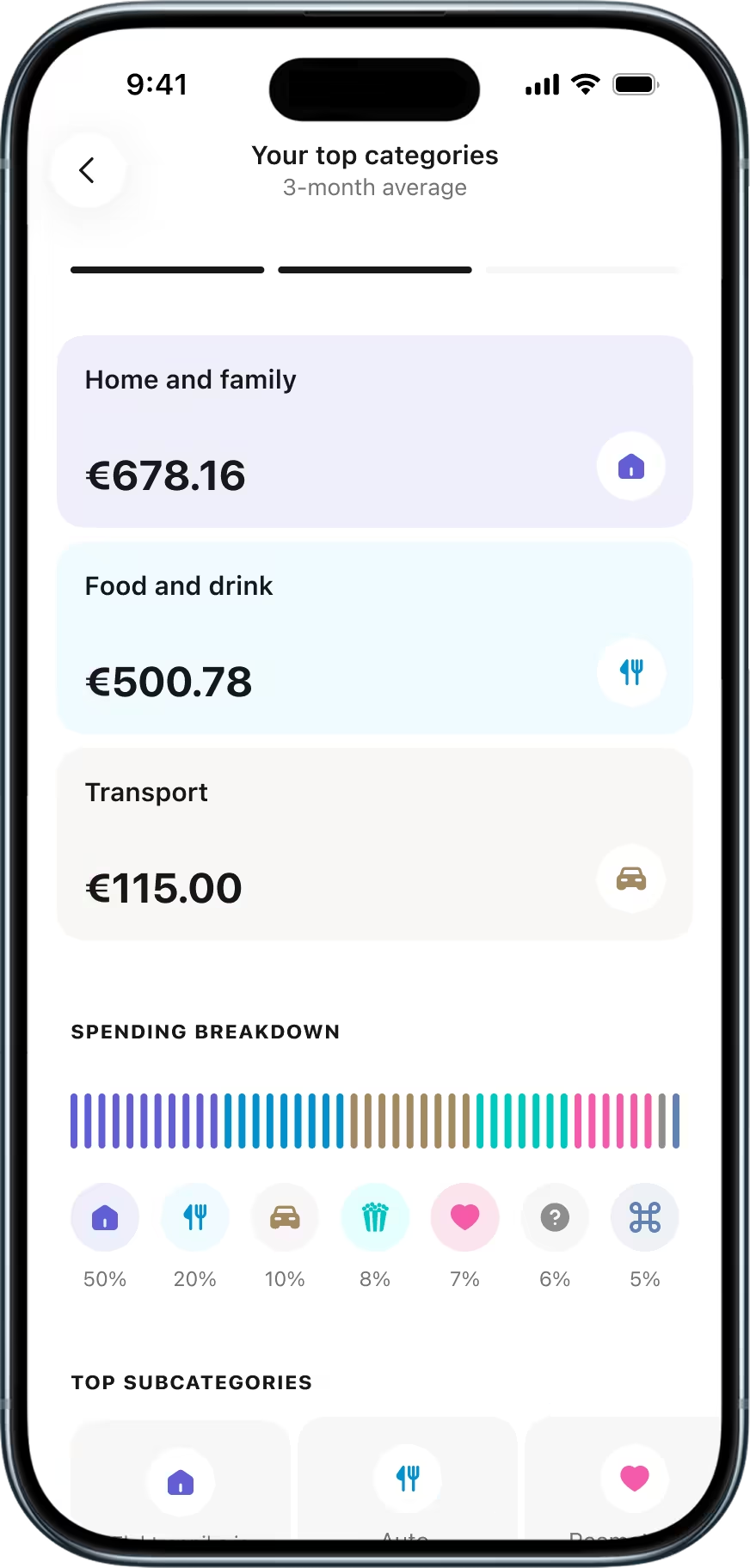
Smart categorisation
AI sorts your transactions into categories automatically. Change a transaction’s category and it learns from your choice.
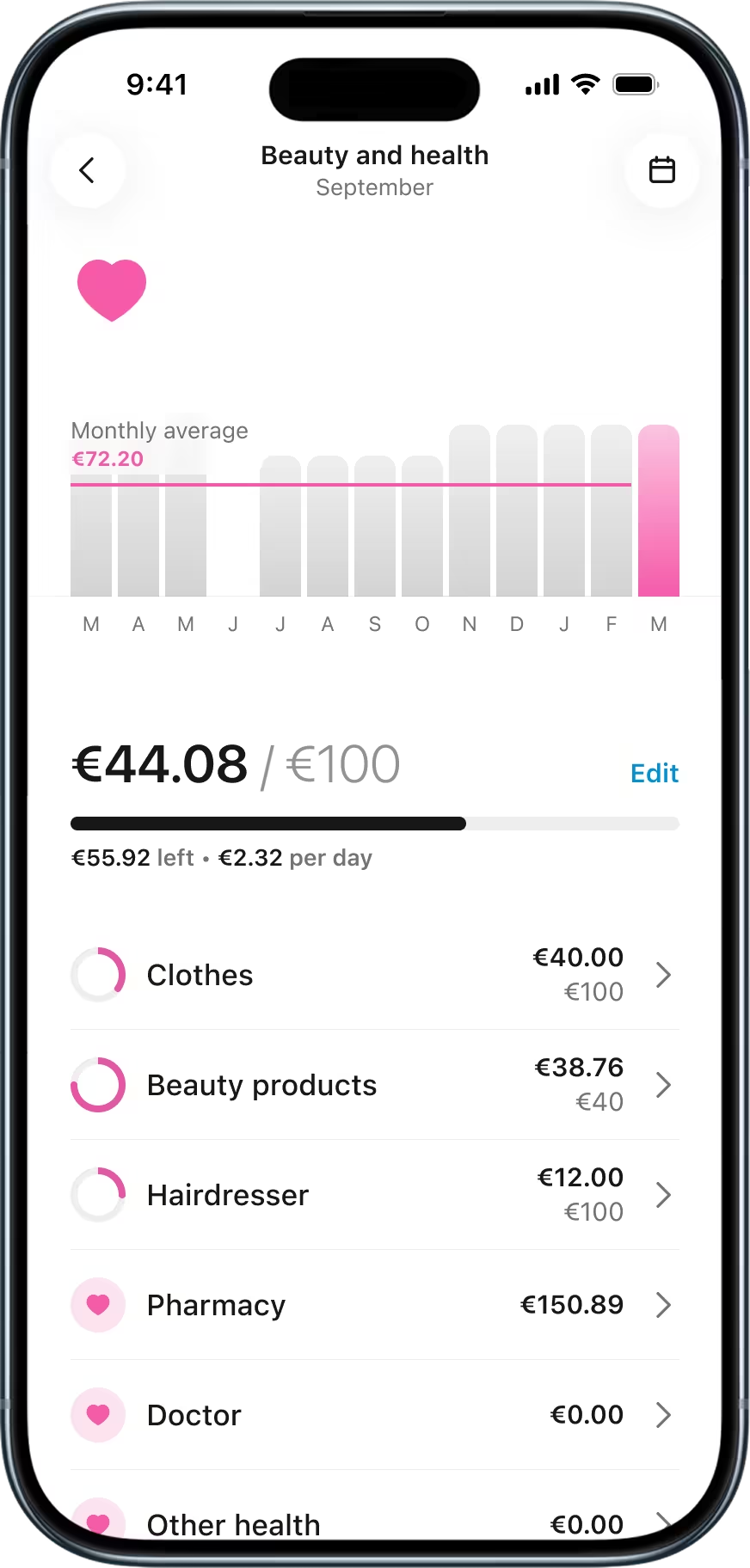
12-month trends
See how each spending category has moved over the past year. Spot patterns, find leaks, make better decisions.
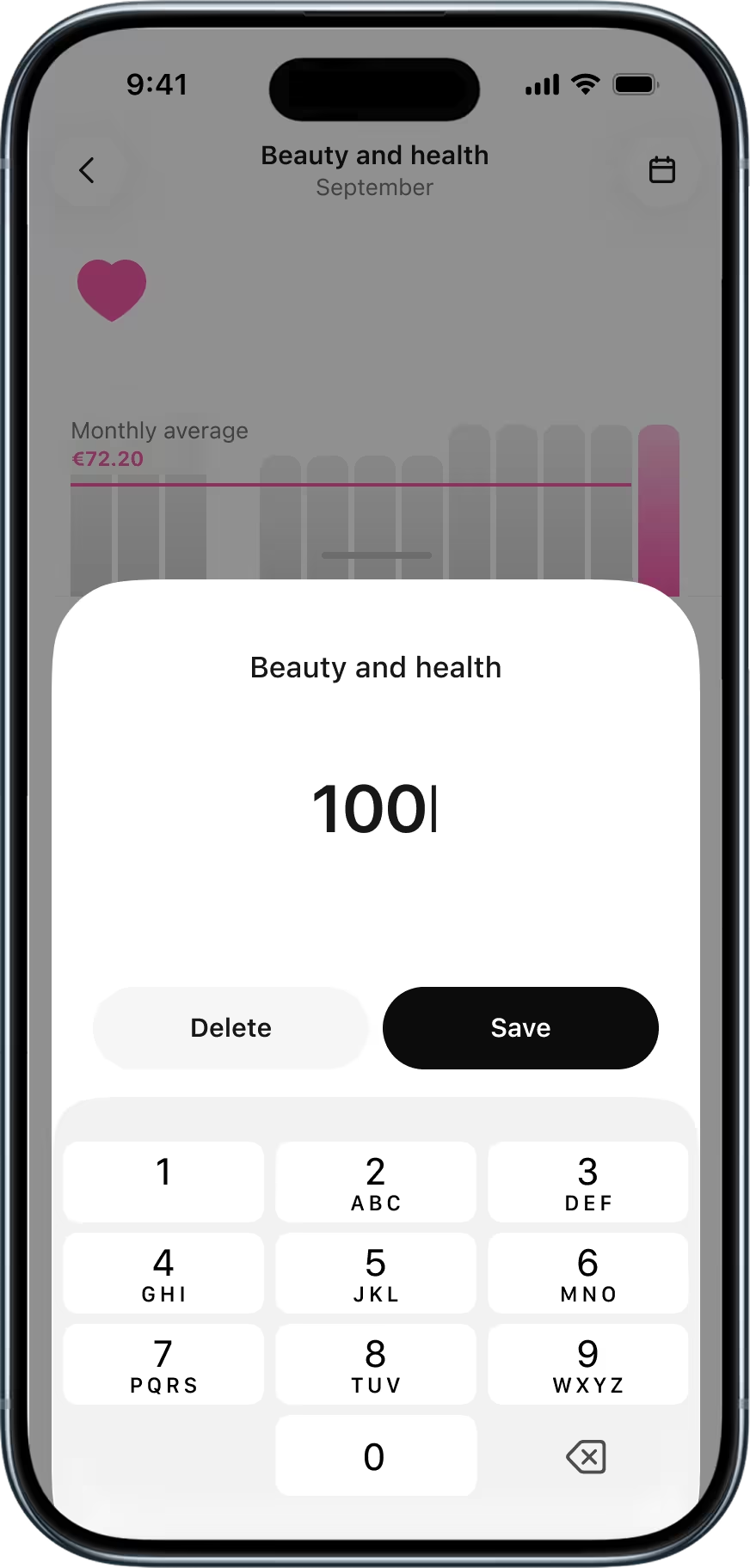
Flexible budgets
Start with one overall budget or break it down by category and subcategory. Plan your income, spending and savings together or separately.
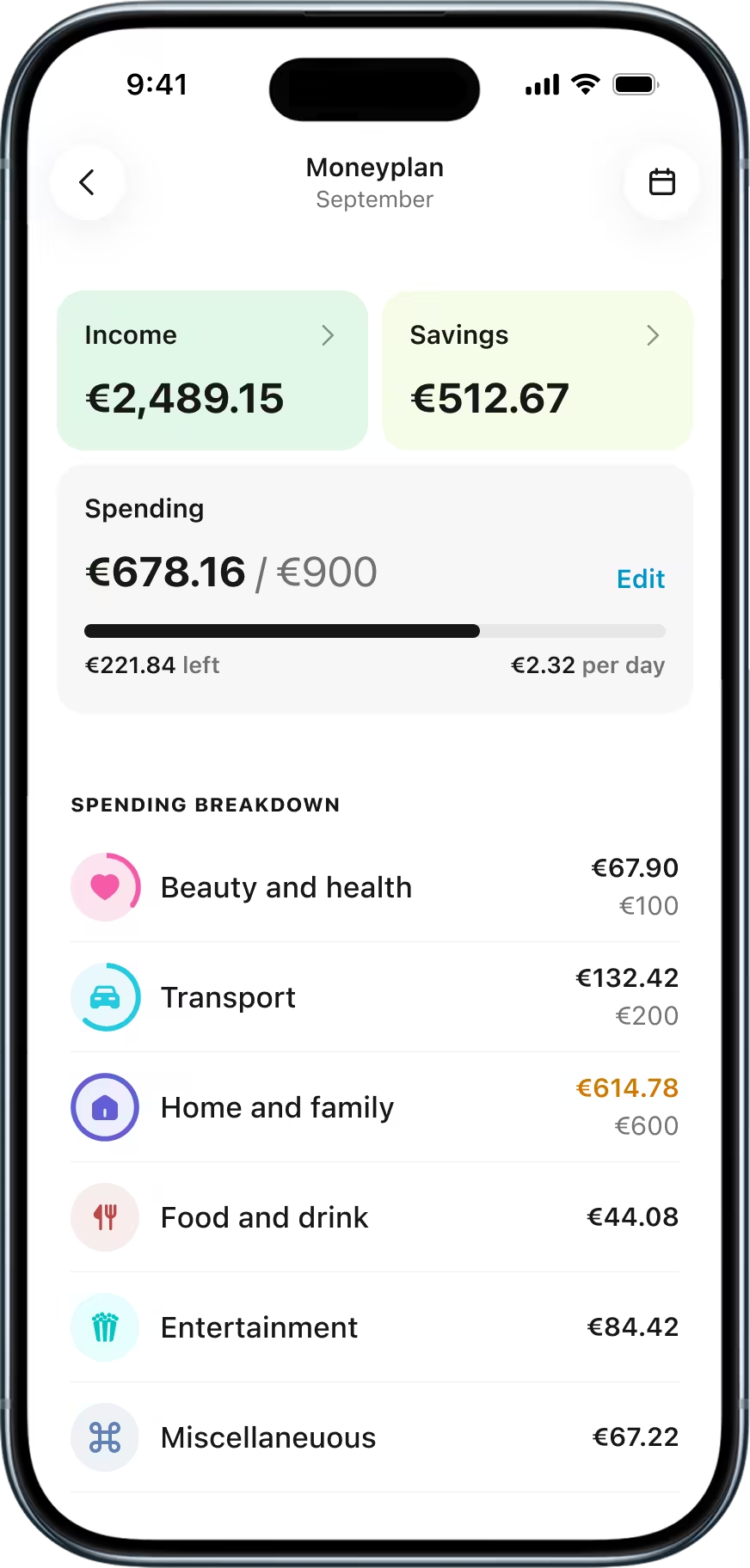

Instant overview
Check your budgets, spending by category and how much you have left for the month on one clear screen. No digging.
Smart categorisation
AI sorts your transactions into categories automatically. Change a transaction’s category and it learns from your choice.
12-month trends
See how each spending category has moved over the past year. Spot patterns, find leaks, make better decisions.
Flexible budgets
Start with one overall budget or break it down by category and subcategory. Plan your income, spending and savings together or separately.
How it works?
Up and running in minutes
Choose which LHV accounts to include. You stay in control of what goes into your plan.
Start planning- 1See it
Your last 3 months of transactions are automatically imported and categorised on day one. No setup required.
- 2Get it
Add targets for spending, income and savings, then follow how your month unfolds.
- 3Grow it
Use annual trends and monthly recaps to refine your budget, make informed choices and build on your progress.
Frequently asked questions
Open the LHV mobile app and select Moneyplan from the widget on the home screen.
Moneyplan is only available on our app.
Yes. It’s free for all private customers.
This may be because:
- You logged in with a password. Moneyplan is available only when you use strong authentication.
- You’re an account co-user and the account holder hasn’t accepted the data protection terms.
- You’re under 18 and your legal representative hasn’t accepted the data protection terms.
Yes. There’s no age limit. Their legal representative must first accept the data protection terms.
The minor can then see their own overview, set budgets and change transaction categories.
Co-users see only the accounts they can access.
For example, an account holder spends €500 across three accounts in September. A co-user with access to one of those accounts sees only the €250 spent from that specific account.
Co-users have view-only access. They can’t set budgets, change transaction categories or exclude accounts.
Email us at info@lhv.ee to withdraw your consent to the data protection terms.
By default, Moneyplan includes all your LHV accounts, including any you open later. It automatically leaves out pension investment accounts (PIAs) and safeguarding accounts.
You can exclude any other account during setup or later in Moneyplan settings. Moneyplan won’t categorise its transactions or show them in your overview. You can include the account again at any time.
Note: Transactions made while an account is left out won’t be added later. Moneyplan starts categorising new transactions once you include the account again.
Transfers between your own LHV accounts don’t count as income or expenses because the money stays with you.
Transfers to your Savings Account or Growth Account are shown in the overview because you have set the money aside or invested it.
Transfers to and from own accounts at other banks are categorised like any other transaction, based on the transaction details.
Moneyplan categorises transactions automatically using rules and AI. It uses details such as the payer, payment description and recipient to choose a category.
You can change any transaction’s category yourself. Open the transaction, select the pencil icon and choose a new category. Apply it to that transaction only, or select Apply to future transactions to categorise similar transactions the same way.
Moneyplan converts all transactions into euros. Open a transaction to see the amount in its original currency.
A clear plan for your money, every month.
Start planning